I’ve just released Locate, a Chrome extension that supercharges your browser’s search functionality. If you’ve ever felt limited by the basic ⌘+F search, this one’s for you.
A Developer’s Dream
The browser’s built-in search is fine for simple text matching, but as a developer, I often want more powerful search capabilities. Whether it’s using regex to find patterns, locating elements by CSS selectors, or making bulk text replacements across a page, the native search just doesn’t cut it.
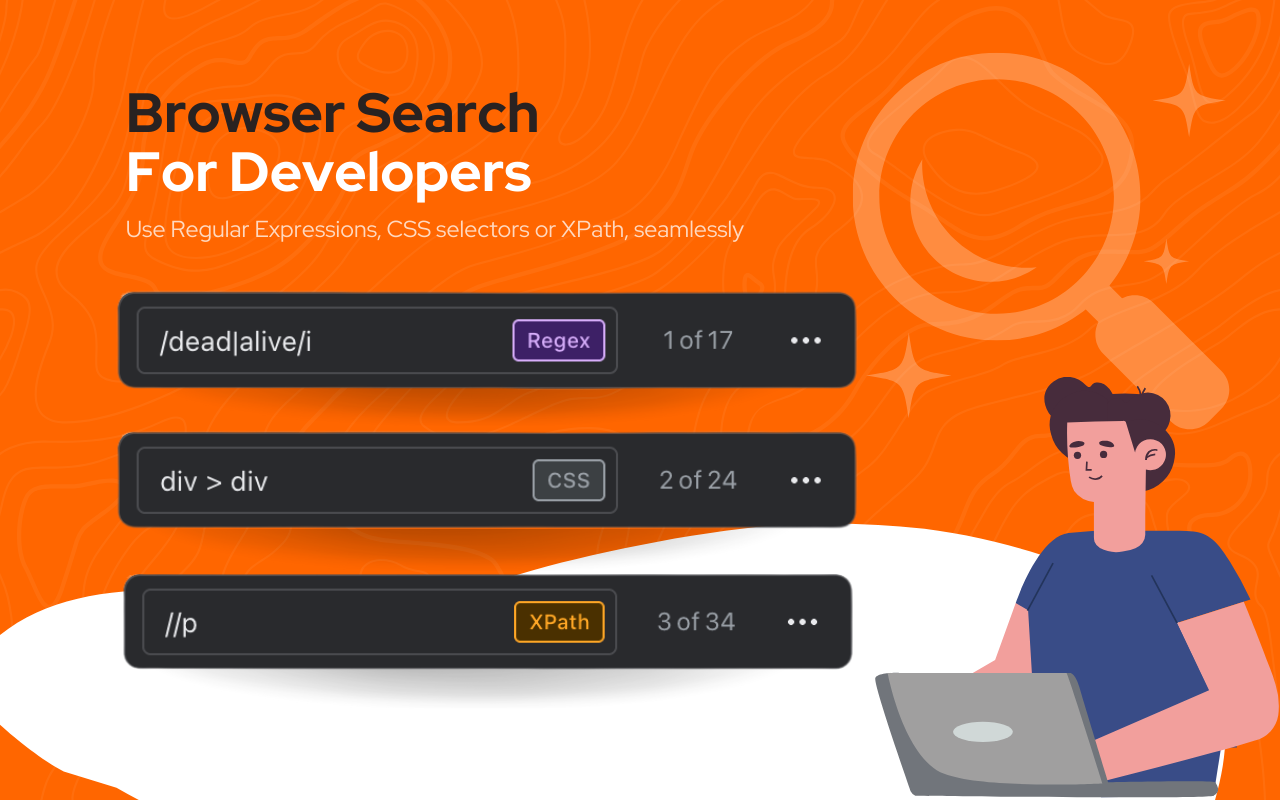
Locate completely replaces the built-in page search. When you press ⌘+F, you now get a feature-rich search overlay with multiple search modes and advanced capabilities.
Basic text search still works as you might expect, but you’ll also be able to use other powerful ways to search from the same input, very useful for developers and power users:
- Regex Search: Use
/pattern/flagssyntax to find complex patterns. - CSS Selector Search: Enter any valid CSS selector to highlight matching elements.
- XPath Search: Use
//prefixed expressions to navigate the DOM.
Find & Replace
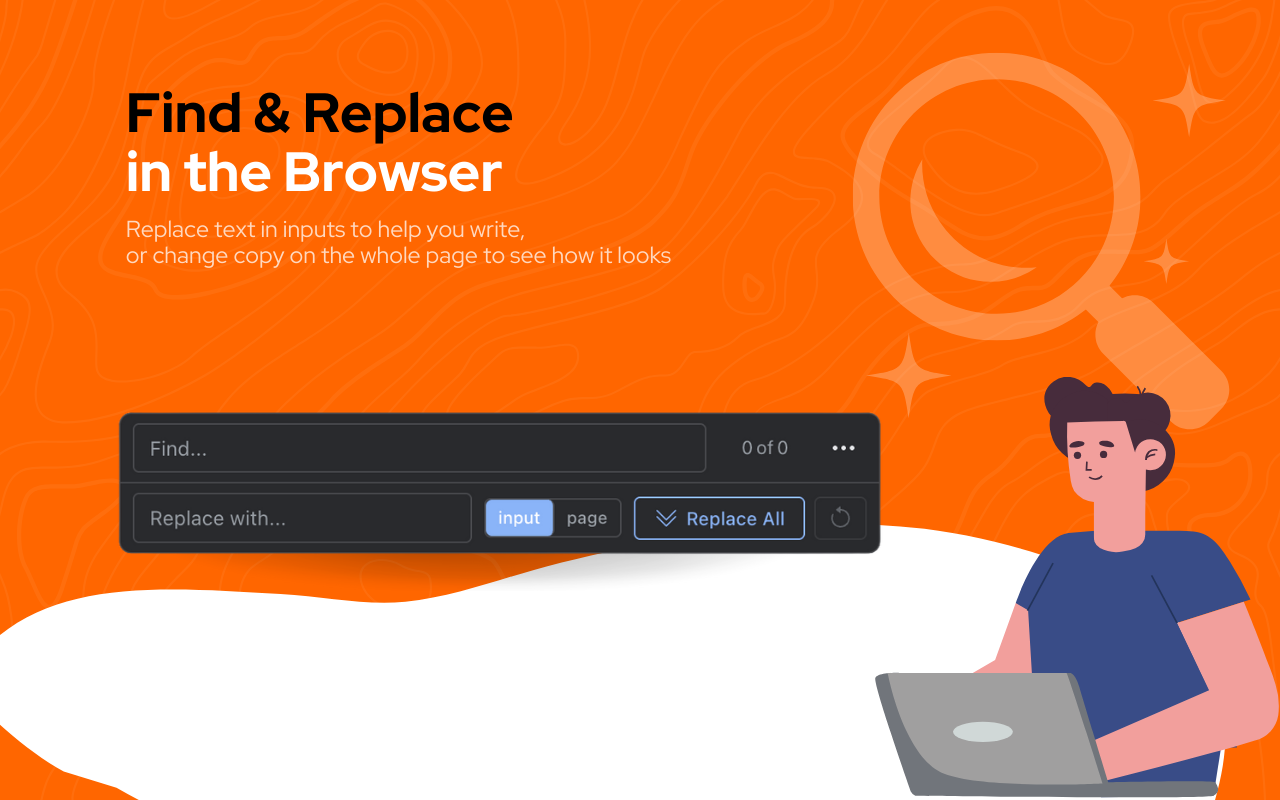
Every word processor application has a search-and-replace feature, but browsers don’t - which is strange considering how many long forms we end up filling out in the browser nowadays!
Using ⌘+SHIFT+F you’ll get a search-and-replace overlay. This has a couple of options:
- Replace Inputs: Only replaces text found in input fields (textareas, text inputs, contenteditable elements), for when you’re filling out forms
- Replace All: Replaces all occurrences in the page markup, allowing you to easily preview changes to the copy on any web page
AI Assistant

This was not the main feature I set out to build, but I decided to include it. It’s got a lot of inspiration from the same feature from the Arc browser - which I think is a fantastic implementation of AI in the browser; it’s there and easy to access, but not intrusive.
How do you get to it then? Just hit TAB from the search input, and you’ll be able to ask AI questions about the page you’re viewing.
You bring your own API keys for this feature, so you can use OpenAI, Anthropic, or any other compatible service. No data is sent anywhere unless you provide your own keys, and even then it’s only sent to the AI provider you choose.
It’s also possible for the AI to run JS on the page (with your approval), so it can inspect the DOM, extract data, or even make modifications.
Not sure what to ask it to do? Here are some ideas:
- Summarise the page
- Make a list of all links on the page
- Make the page use a purple color scheme
- Make all headings use Comic Sans
Conclusion
It’s a simple enhancement to the browser, but one that I think will be really useful for developers and power users alike. I’ve been enjoying using it every day since I built it.
You can install Locate from the Chrome Web Store right now. It’s completely free and respects your privacy - no data collection, no tracking, no ads.
The extension is also open source on GitHub, so feel free to check out the code, contribute improvements, or fork it for your own needs.